What is a domain name, and how do you connect one to your app?
What a domain name is, how DNS points it at your app, what A and CNAME records do, and the steps to connect your own domain to an app you built.
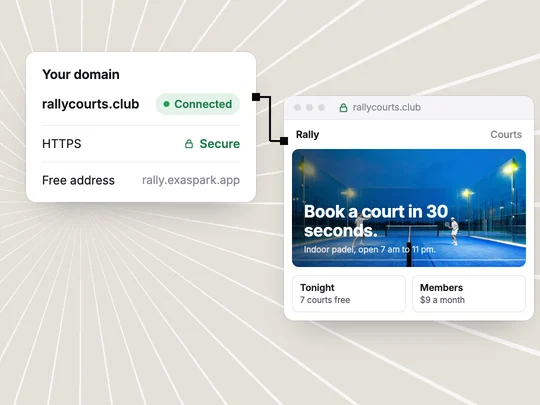
A domain name is the address people type to reach your app, such as yourbrand.com. Behind it, the Domain Name System (DNS) works like a phone book that turns the name into the location of the server that answers. Connecting your own domain to an app means telling DNS where the app lives, with a few records at the company where you bought the name.
What is a domain name?
It is a name you rent, usually by the year, from a domain registrar. The part at the end, such as .com or .studio, is the top-level domain. Anything in front of the main name, such as book.yourbrand.com, is a subdomain, which you can point somewhere else without buying anything new. MDN's glossary has the formal definition.
How does DNS turn a name into your app?
When someone opens your address, their browser asks DNS where that name points, then connects to that location. DNS keeps the answer in records you control at your registrar or DNS provider. MDN on DNS explains the lookup in more detail.
| Record | What it does | Typical use |
|---|---|---|
| A | Points a name to an IP address | The bare domain, yourbrand.com |
| CNAME | Points a name to another name | A subdomain such as www or book |
| TXT | Holds text that services read | Proving you own the domain, email settings |
| MX | Says which servers receive email | Email at your domain; leave these alone when you connect an app |
How do you connect your own domain to your app?
Buy the name
From any domain registrar. Pick something short that is easy to say aloud.
Start the connection where the app is hosted
Your app builder or host tells you which records to add and what values to use.
Add the records at your registrar
Copy the values exactly. Do not delete email (MX) records you already use.
Wait for DNS to update
From a few minutes to a day or two, depending on the records' time-to-live.
Check HTTPS
Open the address with https:// and confirm the padlock. Your host issues the certificate once the records are in place.
Do you need a custom domain?
Not to start. Many builders give every app a free address on their own domain, which is fine for testing and early users. A custom domain is worth it once you share the app with customers or run ads: it looks like a business, it is easier to remember, and it stays yours if you move.
In ExaSpark, every published app gets a free exaspark.app link, and paid plans let you connect your own domain. Publishing again after a change updates the same address. See Publish and custom domains.
What is HTTPS, and why does it matter?
HTTPS encrypts the connection between the visitor and your app, and browsers warn people away from sites without it. It needs a certificate for your domain name, which hosts usually issue automatically once the name points to them. MDN on HTTPS has more.
When your app is ready for a real address, start from something worth putting on it:
Build a one-page site for my padel club with court times, a booking form and a $20 deposit through Stripe, ready to publish on my own domain.
Frequently asked questions
- What is the difference between a domain and a website?
- A domain is the address, such as yourbrand.com. A website or app is what answers at that address. DNS connects the two.
- How long does it take to connect a domain?
- Adding the records takes minutes. DNS changes then take from a few minutes to a day or two to reach everyone, depending on the records' time-to-live.
- What is the difference between an A record and a CNAME?
- An A record points a name to an IP address. A CNAME points a name to another name, which is common for subdomains such as www.
- Can I use my own domain with ExaSpark?
- Yes, on paid plans. Every app also gets a free exaspark.app link.

