How online payments work: checkout, webhooks, refunds and payouts
What happens between Pay and a confirmed order: hosted checkout, card networks, webhooks, test mode, refunds, disputes and payouts.
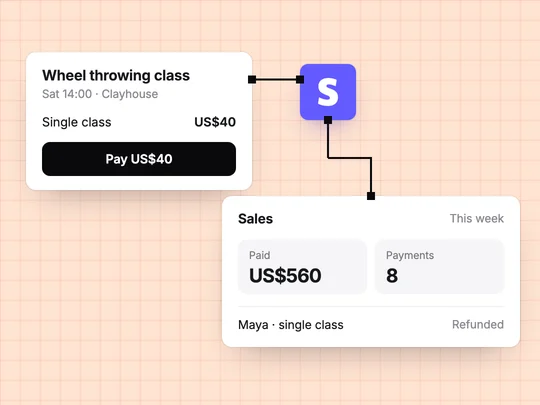
When a customer pays online, your app does not charge the card itself. It sends the customer to a checkout run by a payment provider, the provider asks the customer's bank through the card network to approve the charge, and then it tells your app that the payment succeeded. The money arrives in your bank later, as a payout. Each step has its own rules, and most payment problems in small apps come from treating them as one.
What happens when a customer clicks Pay?
Your app creates a checkout
It tells the payment provider what is being bought and for how much, for example a $40 pottery class.
The customer pays on the provider's page
With a hosted checkout such as Stripe Checkout, the card details are typed into the provider's page, not yours.
The bank approves or declines
The provider sends the charge through the card network to the bank that issued the card. The bank checks it and may ask the customer to confirm, for example in their banking app.
The provider tells your app
It sends your app an event saying the payment succeeded. This is the moment to mark the booking paid.
The money reaches your bank
The provider holds payments in your balance and pays them out to your bank account on a schedule.
Why should checkout run on the payment provider's page?
Because card numbers are the most sensitive thing your app could hold. Every business that accepts cards has to meet the card industry's security standard, PCI DSS, and the work grows with how much card data passes through your own systems. Stripe's PCI guide lists its hosted Checkout as eligible for the simplest self-assessment, SAQ A, because the card fields are served from Stripe's domain and card information never touches your servers. A card form you build yourself moves that responsibility to you.
Your app can still keep what it needs for receipts and support: the card brand, the last four digits and the expiry date, which Stripe's security guide says fall outside PCI scope.
What is a webhook, and why do payments need one?
A webhook is a message the payment provider sends to your app when something happens on its side: a payment succeeded, a subscription renewed, a customer disputed a charge. Your app should wait for that message before it marks anything paid. The customer may close the tab before they return to your site, and some payment methods are confirmed by the bank only later. What is an API? compares webhooks with ordinary API calls.
- Check that it is genuine. Stripe signs every event, and your app verifies the signature before acting, so nobody can send a fake "paid" message. See Stripe's webhooks guide.
- Expect repeats. The same event can arrive more than once, so marking a booking paid twice must do no harm.
- Answer quickly. Reply that the event arrived, then do the slower work. If your app does not answer, Stripe keeps retrying in live mode for up to three days, as its guide describes in October 2026.
What is the difference between test mode and live mode?
| Test mode (sandbox) | Live mode | |
|---|---|---|
| Money moves | No | Yes |
| Cards | Test numbers, such as 4242 4242 4242 4242 | Real cards from real customers |
| Keys | Test keys | Live keys, kept on the server |
| Use it for | Building and checking every path | Taking real payments |
Stripe's testing guide lists test cards for success, declines and extra confirmation, so you can see what a customer sees when a payment fails. It also says not to test in live mode with real card details. Build and check in test mode, then switch to live mode and watch for the first real payment from a customer.
How do refunds, disputes and payouts work?
| What happens | What to know | |
|---|---|---|
| Refund | You return all or part of a payment to the original card | Customers usually see it in 5 to 10 business days, and Stripe does not return its original processing fee (Stripe) |
| Dispute (chargeback) | The customer asks their bank to reverse the payment | The amount and a dispute fee are taken from your balance straight away, and you can respond with evidence (Stripe) |
| Payout | Your balance is sent to your bank | The first payout typically completes within 7 to 14 days; later ones follow your schedule and your country's timing (Stripe) |
The timings above are as Stripe documents them in October 2026. Fees work the same way across all of these: you pay the provider a fee on each successful payment, and the rate depends on your country and the payment method, so check Stripe's pricing for yours. A clear refund policy on your page prevents many disputes, because a customer who knows how to get their money back asks you before asking their bank.
How do you take payments in an app without code?
Describe what you sell, the price, and whether it is charged once or every month. In ExaSpark, that request adds Stripe checkout to your app, for one-off payments or subscriptions. Sales appear in your dashboard and are paid out to your bank. See Payments.
Before you share the app, check what no builder can decide for you:
- Pay with a test card and confirm the booking or order shows as paid.
- Try a declined test card and read the message the customer sees.
- Write your refund policy on the page.
- Decide what happens to a member's access when a renewal fails. Stripe retries a failed renewal and marks the subscription past due in the meantime, as its subscriptions overview explains.
- Switch to live mode, and look for the first real payment in your sales.
This request builds a small studio site with both kinds of payment:
Build a booking site for my pottery studio: a $40 one-off payment for a single class, a $120 monthly membership with four classes, Stripe checkout for both, and a page where staff see paid bookings and members.
Frequently asked questions
- How does an online payment work?
- The customer pays on a checkout page run by a payment provider. The provider asks the bank that issued the card, through the card network, to approve the charge, then tells your app the payment succeeded. The money reaches your bank later as a payout.
- Do I need to be PCI compliant to take card payments?
- Every business that accepts cards has PCI obligations, but a hosted checkout keeps them small. With Stripe Checkout, card details are entered in fields served by Stripe and never reach your servers.
- How long does a refund take to reach the customer?
- Stripe sends the refund to the customer's bank straight away, and the customer usually sees it within 5 to 10 business days, depending on the bank. Stripe does not return its original processing fee.
- What is a payment webhook?
- It is a message the payment provider sends to your app when something happens, such as a successful payment or a renewed subscription. Your app checks that the message is genuine before it marks the order paid.

